
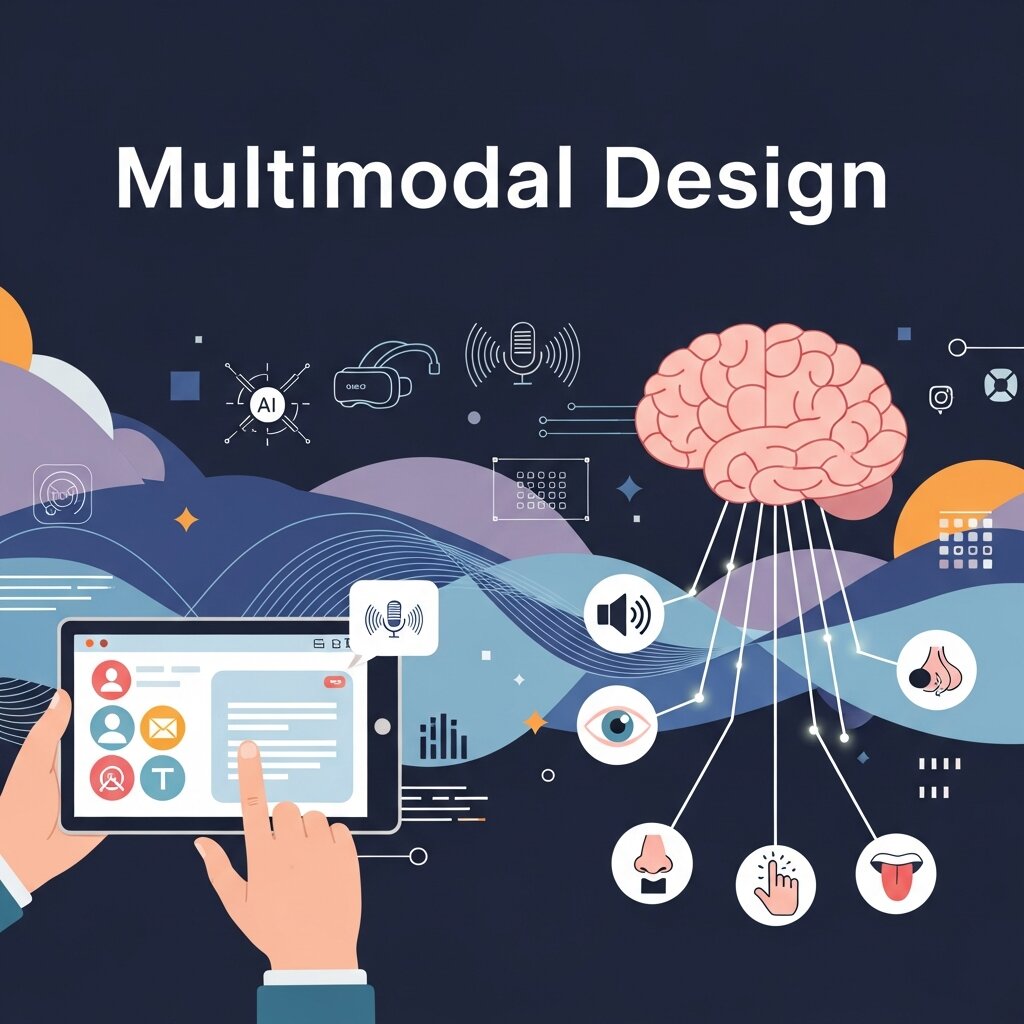
In today’s digital landscape, interactions between humans and devices have evolved far beyond simple taps on a screen. The rise of multimodal design allows people to control applications using touch, voice, and gesture—often all at once. As devices proliferate and expectations soar, designers and developers must create user interfaces that adapt fluidly to different contexts.
Throughout this post, we’ll unpack the foundational elements of multimodal design, uncover best practices, and explore the tools powering next-generation interfaces. We’ll reference authoritative guidance from institutions like NIST and Usability.gov to ensure recommendations align with industry standards. By the end, you’ll have a comprehensive roadmap to implement multimodal design in your own products, empowering users with choice and flexibility. Let’s dive into how today’s technology shapes human-centered experiences in this year (2026) and beyond.
Understanding Core Modalities in Multimodal Design
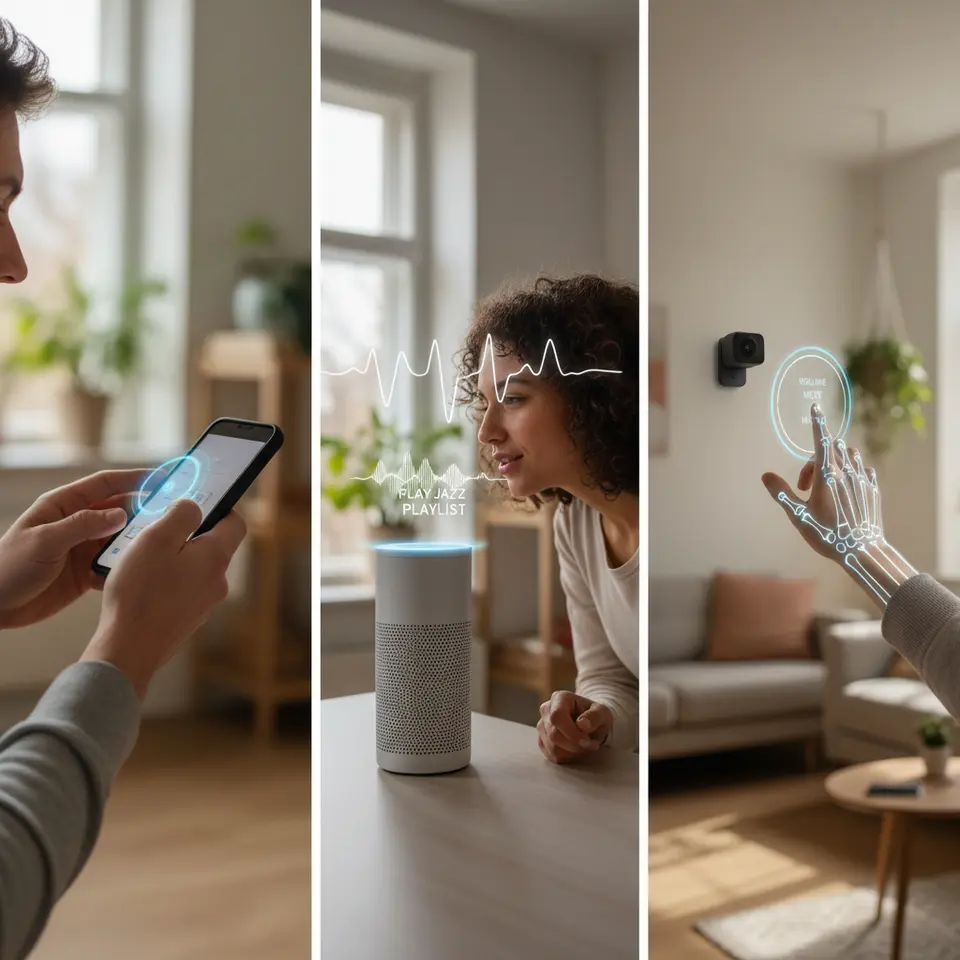
At the heart of any multimodal design strategy lie three primary input channels: touch, voice, and gesture. Each modality offers unique advantages and constraints, and the role of a designer is to balance these channels so that they complement rather than compete with one another.
Touch remains the most familiar way people interact with devices. Smartphones, tablets, kiosks, and more rely on capacitive screens that detect finger position. Designers use gestures like tapping, swiping, pinching, and long-pressing to navigate hierarchies, reveal hidden menus, or manipulate on-screen elements. Key considerations include minimum hit area dimensions (generally at least 44×44 pixels) to accommodate different finger sizes and visual cues—such as ripples or highlight animations—to confirm user actions.
Voice interfaces have surged forward thanks to natural language processing and conversational AI frameworks. Smart speakers, virtual assistants embedded in apps, and in-car infotainment systems let users issue commands hands-free, which is invaluable when multitasking or for accessibility. When crafting voice interactions, it’s essential to write concise prompts, anticipate varying speech patterns, and implement fallback strategies if recognition fails. For instance, after a failed attempt, the system could offer touch-based alternatives to complete the same task.
Gesture control, enabled by cameras or motion sensors, offers a more physical dimension to interaction. From mid-air swipes on AR headsets to camera-tracked hand waves around a smart display, gestures introduce a spatial component. However, designing for this modality requires paying attention to ergonomics—ensuring movements are comfortable—and environmental factors like lighting. Additionally, gestures may carry cultural connotations, so designers must research region-specific meanings to avoid confusion or offense.
When combined thoughtfully, these modalities create a flexible user experience that can adapt to context, ability, and preference. In the sections that follow, we’ll explore the guiding principles behind effective multimodal design and practical approaches to integration.
Principles Guiding Effective Multimodal Experiences
 Implementing multimodal design demands more than adding touch, voice, and gesture support—it requires adhering to core design principles to maintain consistency and usability across channels. Below are five key pillars to guide the creation of harmonious, user-centered interfaces.
1. Consistency Across Modalities
Whether a user taps an icon, speaks a command, or waves a hand, the outcome should be predictable. If a “Play” function exists through voice, it should correspond to the same visual control. Consistent naming, iconography, and feedback patterns reduce cognitive load and increase learnability.
2. Affordance and Discoverability
Users must know what interactions are possible. Touch affordances might include visible button outlines or shadows. Voice input benefits from microphone icons or audio prompts. For gestures, subtle animations or on-screen overlays can hint at actionable zones. Clear affordances help users discover capabilities without explicit instruction.
3. Immediate, Modality-Appropriate Feedback
Feedback reassures users that their input has been received and processed. Visual cues like loading spinners or color changes, auditory signals such as beeps, and haptic vibrations all contribute to a responsive feel. Tailor feedback to the modality—when a voice command is recognized, consider a short chime before executing the action.
4. Fallback Paths and Graceful Degradation
Not every modality will suit every environment or user. If background noise prevents accurate voice recognition, offer a touch menu as a backup. Conversely, when users’ hands are occupied—say, cooking—promote voice alternatives. Designing fallback options ensures inclusivity and robustness.
5. Context Awareness
Context sensing elevates multimodal interfaces from static to smart. A system can detect ambient noise levels and switch to visual prompts, or monitor device motion to favor voice over touch. By leveraging sensors like microphones, accelerometers, and cameras, interfaces can dynamically adapt to current conditions.
Adhering to these principles ensures that multimodal design enhances usability rather than introducing frustration. Next, we’ll look at practical strategies to weave these modalities together seamlessly.
Strategies for Blending Touch, Voice, and Gestures
Moving from theory to practice, effective multimodal design hinges on thoughtful integration patterns. Below are three strategies to orchestrate harmonious interactions across touch, voice, and gesture.
Collaborative Input Flows
Collaborative flows allow users to employ multiple modalities within a single task. For instance, a user might tap on a map marker and then say “Navigate” to trigger directions. This blend leverages both the precision of touch and the convenience of voice. To implement, ensure the system retains context across interactions—when the user taps, it should store that selection in memory for the subsequent voice command.
Dynamic Interface Adaptation
By monitoring recent inputs, interfaces can surface relevant controls. After a voice query for “show my calendar,” the UI might highlight date-picker widgets for further refinement by touch. If a user swipes through a photo gallery, the system could display voice hints like “Say ‘Open’ to view in full screen.” These context-driven suggestions guide users seamlessly into the next step.
Modal Fusion vs. Modal Switching
In modal fusion, inputs occur simultaneously—for example, a user might point to an on-screen item and say “Select this.” This feels magical but requires robust sensor fusion to resolve pointers and vocal instructions. Modal switching, on the other hand, sequences interactions—tap to open a search bar, then speak the query. While simpler to implement, too many switches can interrupt flow. Choose the approach based on task complexity and sensor reliability.
Applying these strategies can transform disjointed controls into a unified, adaptive experience. In today’s fast-paced world, users appreciate when interfaces anticipate needs and minimize friction. The next section will introduce the toolkits and platforms that make multimodal prototyping and development accessible.
Tools and Technologies Fueling Multimodal Interfaces
Designing and building multimodal interactions demands specialized frameworks, APIs, and prototyping platforms. Below is an overview of leading resources for touch, voice, and gesture integration.
Design Frameworks and Kits
Major design systems have expanded beyond visual components to include interaction patterns:
- Google Material You: Offers guidelines for voice-enabled actions alongside standard touch controls.
- Apple Human Interface Guidelines: Covers Siri integration and gesture-based controls for iOS and tvOS.
Prototyping Platforms
Early testing of multimodal flows helps uncover friction before development:
- Adobe XD: Supports voice triggers that mimic conversational prompts.
- Figma: Enables clickable prototypes with embedded audio playback for voice simulation.
- Unity and Unreal Engine: Ideal for gesture-driven AR/VR experiences—both support custom scripts to recognize hand poses.
SDKs, APIs, and Services
For production-ready implementations, consider these platforms:
- Amazon Alexa Skills Kit: Integrates natural language understanding and voice services into your app.
- Google Dialogflow: Provides conversational AI with rich context handling.
- Microsoft Speech SDK: Offers speech-to-text and text-to-speech capabilities.
- MediaPipe: A Google-backed framework for real-time gesture recognition.
- ARKit/ARCore: Delivers motion tracking and environmental understanding for hand and object gestures.
By combining these toolsets, you can prototype ideas rapidly, validate them with real users, and iterate toward refined multimodal experiences. In the following section, we’ll discuss methods for measuring and optimizing performance once your design reaches the hands of users.
Evaluating and Iterating Multimodal User Experiences
Once a multimodal product is in the wild, continuous evaluation is key to ensuring it meets user needs. Measuring combined interactions requires a multi-pronged approach, from quantitative metrics to qualitative insights.
Quantitative Metrics
- Error Rate by Modality: Track recognition failures (voice misinterpretations, unregistered gestures, or missed taps). High error rates signal the need for improved prompts or sensor calibration.
- Task Completion Time: Compare how long users take to finish tasks via touch only, voice only, and combined flows. Faster completion indicates successful cross-modal integration.
- Fallback Frequency: Record when users switch from one modality to another—e.g., from voice to touch. A high fallback count could mean the primary modality isn’t reliable enough.
Qualitative Feedback
Observational studies and interviews in realistic settings—noise-controlled rooms for voice, motion-capture spaces for gestures—reveal pain points that logs alone cannot capture. Ask users to think aloud as they interact, noting confusion over affordances or unclear feedback.
Iterative Refinement
Use insights to refine your design: adjust hit areas, revise voice prompts, tweak gesture sensitivity, and enhance contextual suggestions. Treat multimodal design as an ongoing process—conduct A/B tests on different feedback styles or fallback options to discover what resonates best.
By systematically measuring and iterating, you can elevate your multimodal interface from functional to delightful. Let’s wrap up by outlining forward-looking best practices and emerging trends shaping the future of multimodal design.
Designing for Accessibility and Inclusive User Experiences
Accessibility should be a foundational element of every multimodal design strategy rather than an afterthought. Users interact with digital products in vastly different ways depending on their physical abilities, environments, and personal preferences. By integrating accessibility principles into touch, voice, and gesture systems, designers can create experiences that feel intuitive and empowering for everyone. For touch interfaces, this means providing large tap targets, high-contrast visuals, and support for screen readers. Voice interfaces should include clear prompts, adjustable speech speeds, and text captions for spoken responses. Gesture systems must avoid requiring overly complex or physically demanding motions that could exclude certain users.
Inclusive multimodal design also benefits users in temporary situations, such as noisy public spaces or low-light environments. Someone driving may rely on voice commands, while another user with occupied hands may prefer gesture controls. Following accessibility frameworks like WCAG and conducting usability testing with diverse participants helps identify barriers early in the design process. In today’s rapidly evolving digital ecosystem, prioritizing accessibility not only broadens audience reach but also strengthens trust, usability, and long-term product adoption throughout this year (2026).
The Role of Artificial Intelligence in Multimodal Design
Artificial intelligence is rapidly transforming multimodal design by enabling interfaces to become more adaptive, predictive, and context-aware. Modern AI systems analyze user behavior, speech patterns, gestures, and environmental signals in real time to optimize interactions dynamically. Instead of forcing users to adjust to rigid workflows, AI-driven multimodal systems personalize experiences based on context and intent. For example, if background noise increases, an application may prioritize touch interactions over voice commands automatically. Similarly, machine learning models can improve gesture recognition accuracy by adapting to individual movement styles over time.
Natural language processing also allows conversational interfaces to understand more nuanced human speech, including accents, slang, and emotional tone. Combined with computer vision technologies, AI can interpret facial expressions and body language to enhance communication between users and devices. Predictive systems further streamline workflows by anticipating likely actions and surfacing relevant controls proactively. As AI capabilities continue advancing, multimodal experiences will become increasingly seamless and human-centered. Designers who understand how to balance automation with user control will play a critical role in shaping the future of intelligent digital interaction in this year (2026).
Future Trends Shaping Multimodal User Interfaces
The future of multimodal design is being shaped by emerging technologies that blur the boundaries between physical and digital interaction. Wearable devices, augmented reality glasses, mixed reality environments, and spatial computing platforms are pushing designers to think beyond traditional screens. In these ecosystems, touch, voice, gesture, eye tracking, and even biometric signals work together to create deeply immersive experiences. Users may soon navigate interfaces using subtle eye movements, voice cues, or hand tracking without ever touching a physical device.
Another major trend is the rise of ambient computing, where technology fades into the background and interactions occur naturally within the surrounding environment. Smart homes, connected vehicles, and IoT ecosystems already demonstrate how multimodal systems can simplify everyday activities through contextual awareness. Meanwhile, advances in haptic feedback and wearable sensors are making digital interactions feel more tactile and responsive. Privacy and ethical considerations will also become increasingly important as systems collect more behavioral and environmental data. Designers and developers who embrace these innovations while maintaining transparency, usability, and inclusivity will help define the next generation of human-computer interaction throughout this year (2026) and beyond.
Frequently Asked Questions
What is multimodal design and why is it important?
Multimodal design integrates multiple input methods—such as touch, voice, and gesture—into a single cohesive experience. It’s important because it accommodates diverse user preferences, improves accessibility, and adapts to varying contexts (e.g., noisy environments or hands-busy scenarios), resulting in more intuitive and inclusive interfaces.
How do I decide which modalities to support first?
Start by understanding your users’ primary tasks and environments. If your audience frequently multitasks or has accessibility needs, voice may be a priority. For precision-driven interactions, touch should remain central. Conduct user research and prototype early to validate which modalities deliver the greatest impact.
What are the best tools for prototyping multimodal interfaces?
Adobe XD and Figma are excellent for early-stage voice and touch prototypes, while Unity or Unreal Engine are more suitable for complex gesture-driven AR/VR scenarios. Combine these with conversational AI platforms like Dialogflow or the Alexa Skills Kit to simulate realistic interactions.
How can I ensure reliability across different environments?
Implement fallback paths and graceful degradation—if voice recognition falters in noisy settings, switch to visual or touch-based controls. Leverage context awareness (e.g., ambient noise detection) to adapt the interface dynamically, and test in real-world conditions to uncover edge cases.
Conclusion
Multimodal design is no longer a niche concept—it’s central to creating inclusive, adaptive interfaces that cater to varied environments and user preferences. By understanding touch, voice, and gesture as complementary tools, adhering to guiding principles, and leveraging robust frameworks, you can craft digital experiences that feel natural in any context. Throughout this year (2026), continue to iterate based on real-world data and user feedback, and remain attentive to emerging sensors and AI-driven personalization models. Embrace the dynamic interplay of modalities to future-proof your products and deliver truly seamless interactions in today’s fast-paced digital world.
Read more about this topic: The Blueprint for Digital Product Design And Strategy


